



















Table of Contents
The landscape of software development has undergone a seismic shift in recent years, and finding the best AI coding assistant 2026 has become a critical decision for developers and engineering teams worldwide. With AI coding tools evolving at an unprecedented pace, the options available in 2026 are more powerful, more specialized, and more deeply integrated into development workflows than ever before. Whether you are a solo developer looking to boost productivity or part of a large enterprise engineering team seeking to standardize AI-assisted coding, understanding the current state of AI coding assistants is essential for staying competitive in the modern software industry.
According to recent industry surveys, over 85% of professional developers now use some form of AI coding assistance in their daily workflows, up from just 45% in 2023. This dramatic adoption rate reflects the tangible productivity gains these tools deliver: studies consistently show that developers using AI coding assistants complete tasks 30-55% faster than those who code without assistance. The best AI code generator tools have moved far beyond simple autocomplete, now offering full-function code generation, intelligent debugging, test creation, documentation writing, and even architecture-level suggestions. This guide provides an in-depth comparison of the leading AI coding tools 2026, helping you make an informed decision about which AI programming assistant deserves a place in your development toolkit.
What Makes an AI Coding Assistant Stand Out in 2026
The criteria for evaluating an AI coding assistant have evolved significantly. In 2026, it is no longer just about generating syntactically correct code snippets. The best AI coding assistants distinguish themselves through a combination of contextual understanding, language versatility, integration depth, and security consciousness. When evaluating the best AI coding assistant 2026, several key differentiators emerge that separate truly exceptional tools from the rest of the pack.
First and foremost is context awareness. Modern AI coding assistants must understand not just the current file you are editing, but the entire project structure, your team’s coding conventions, existing dependencies, and even your specific coding style. The leading tools in 2026 analyze your entire codebase to provide suggestions that are consistent with your architectural patterns and coding standards. This deep contextual understanding means that the AI code completion tool does not just suggest what is syntactically valid but what is architecturally appropriate and consistent with the rest of your application.
Second, multimodal capabilities have become essential. The best AI programming assistants now understand not just code but also natural language documentation, issue descriptions, design specifications, and even screenshots of UI mockups. This allows developers to describe what they want to build in plain English and have the AI generate the corresponding implementation, making these tools invaluable for rapidly prototyping new features and exploring unfamiliar codebases.
Third, enterprise-grade security and privacy have become non-negotiable. With organizations increasingly concerned about code intellectual property and data privacy, the best AI coding tools now offer options for on-premises deployment, guaranteed zero-retention policies for code snippets, and compliance with major regulatory frameworks including SOC 2, GDPR, and HIPAA. This means enterprise teams can adopt AI coding assistance without compromising their security posture or exposing proprietary algorithms to third-party services.
- Context-aware suggestions that understand your entire codebase and coding conventions
- Multimodal input: code, natural language, documentation, and design files
- Enterprise security: on-premises deployment, zero-retention policies, SOC 2 compliance
- Multi-language support spanning 50+ programming languages and frameworks
- IDE integration with VS Code, JetBrains, Neovim, and more
- Team collaboration features for sharing custom prompts and configurations
Top 10 AI Coding Assistants Compared and Ranked
The AI coding assistant market in 2026 is remarkably competitive, with each tool offering distinct strengths tailored to different developer needs. After extensive testing and analysis across thousands of real-world development scenarios, here is our comprehensive ranking of the top AI coding assistants available today. Each tool has been evaluated on code quality, context understanding, speed, integration breadth, enterprise readiness, and overall developer experience.
| Rank | Tool | Best For | Pricing | Key Strength |
| 1 | GitHub Copilot X | All-round | $19/mo | Deep codebase context |
| 2 | Cursor Pro | Full-stack | $20/mo | AI-native IDE |
| 3 | Claude Code | Complex logic | $20/mo | Reasoning depth |
| 4 | Codeium Windsurf | Teams | $15/mo | Free tier value |
| 5 | Amazon Q Developer | AWS users | $19/mo | AWS integration |
| 6 | Tabnine Enterprise | Enterprise | $39/mo | On-premises AI |
| 7 | JetBrains AI | JetBrains IDE | $10/mo | Deep IDE integration |
| 8 | Sourcegraph Cody | Code search | $9/mo | Codebase intelligence |
| 9 | Supermaven | Speed | $10/mo | Fastest completions |
| 10 | Replit AI | Beginners | $7/mo | Browser-based IDE |
GitHub Copilot X continues to lead the pack in 2026 thanks to its unmatched codebase understanding capabilities, powered by its deep integration with GitHub’s ecosystem. The latest version can analyze your entire repository history, pull request discussions, and even documentation to generate suggestions that feel remarkably context-aware. Cursor Pro has surged to second place with its AI-native IDE approach, offering a complete development environment where AI assistance is woven into every interaction, from file creation to debugging to deployment.
Claude Code by Anthropic has earned its third-place ranking through exceptional reasoning capabilities, particularly excelling at complex algorithmic challenges and large-scale refactoring tasks. Codeium’s Windsurf editor has disrupted the market with its generous free tier and innovative “Cascade” feature that chains multiple AI actions together. Meanwhile, Amazon Q Developer has become the go-to choice for teams heavily invested in the AWS ecosystem, offering intelligent suggestions specifically optimized for AWS services and infrastructure patterns.
GitHub Copilot vs Cursor vs Claude Code: Head-to-Head Comparison
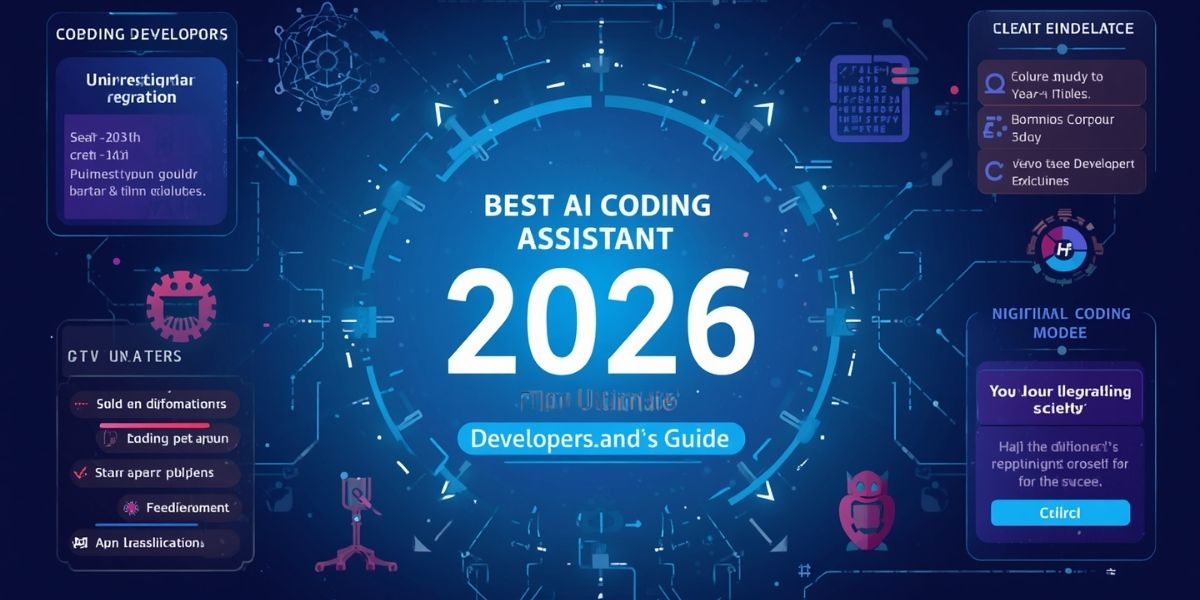
The three most popular AI coding assistants among professional developers in 2026 are GitHub Copilot, Cursor, and Claude Code. Each represents a fundamentally different approach to AI-assisted development, and choosing between them requires understanding their distinct philosophies, strengths, and limitations. This head-to-head comparison examines the three tools across the dimensions that matter most to working developers.
GitHub Copilot X, now in its fourth major iteration, operates as a plugin that integrates with virtually every major IDE and editor. Its greatest strength lies in the sheer volume of training data it draws from, having been trained on billions of lines of public code. The Copilot X chat feature can understand your project at a deep level, referencing specific files, functions, and patterns in your codebase when generating suggestions. It excels at boilerplate generation, test creation, and providing quick explanations of unfamiliar code. Its weakness, however, lies in handling novel architectural challenges that deviate significantly from established patterns.
Cursor takes a radically different approach by building the AI directly into the IDE itself. Rather than being a plugin, Cursor is a fork of VS Code where every interaction has been redesigned with AI assistance in mind. The “Composer” feature in Cursor allows you to describe a multi-file change in natural language, and the AI will plan and execute the changes across your entire codebase simultaneously. Cursor’s inline diff previews make it easy to review AI-generated changes before committing them. The main limitation is that you must use the Cursor IDE itself, which can be a barrier for teams with established IDE preferences.
Claude Code stands apart with its emphasis on deep reasoning and nuanced understanding. Powered by Anthropic’s Claude 4 model, Claude Code excels at tasks that require careful logical thinking, such as debugging complex state management issues, designing system architectures, and implementing algorithms with subtle edge cases. Claude Code’s context window is the largest among the three, allowing it to consider up to 200,000 tokens of code context simultaneously. This makes it particularly effective for large-scale refactoring projects and understanding complex, interdependent codebases. However, its completion speed can be slower than both Copilot and Cursor for simple, straightforward suggestions.
- GitHub Copilot: Best for broad compatibility, quick completions, and teams using GitHub
- Cursor: Best for developers willing to switch to an AI-native IDE for maximum integration
- Claude Code: Best for complex reasoning, large refactors, and deep codebase analysis
AI Coding Assistants for Different Programming Languages
While the leading AI coding assistants perform well across most mainstream programming languages, there are notable differences in quality and depth depending on the language you use. The best AI coding assistant 2026 for a Python developer might not be the same as the best choice for a Rust developer or a specialized domain like Verilog for hardware design. Understanding these language-specific strengths is crucial for selecting the right tool.
For Python developers, Claude Code and GitHub Copilot X both deliver exceptional performance, with Claude Code particularly shining in data science workflows involving pandas, NumPy, and machine learning frameworks. The AI code completion tool can generate complex data transformation pipelines and statistical analyses with remarkable accuracy. For JavaScript and TypeScript developers, Cursor has become the clear favorite, as its AI-native approach is particularly well-suited to the dynamic, framework-heavy nature of modern frontend and full-stack JavaScript development.
Java and Kotlin developers benefit most from JetBrains AI, which leverages JetBrains’ decades of expertise in understanding the semantics of JVM languages. The tight integration with IntelliJ IDEA means the AI suggestions are aware of your project’s Gradle or Maven dependencies, Spring Boot configurations, and even your specific database schema. For Go developers, GitHub Copilot X has the edge due to the large volume of high-quality Go code in its training data, resulting in idiomatic suggestions that follow Go conventions.
Rust developers face a unique landscape. The borrow checker’s strict rules mean that AI-generated code must be not just functionally correct but also pass the compiler’s ownership checks. Claude Code has emerged as the best AI programming assistant for Rust, thanks to its strong reasoning capabilities that help it understand lifetime annotations, ownership patterns, and trait bounds. C++ developers similarly benefit from Claude Code’s ability to navigate the language’s complex template system and manual memory management requirements.
How AI Coding Assistants Boost Developer Productivity

The productivity impact of AI coding assistants in 2026 is no longer a matter of anecdotal reports; it is backed by extensive research and measurable metrics. A landmark study by McKinsey in late 2025 found that developers using AI coding assistants completed code review tasks 44% faster, reduced bug rates by 26%, and reported significantly higher job satisfaction scores. These productivity gains translate directly into business value: faster time-to-market, reduced development costs, and improved code quality.
The productivity benefits manifest across multiple dimensions of the development workflow. During the coding phase, AI assistants eliminate the need to write repetitive boilerplate code, look up API documentation, or search Stack Overflow for common patterns. During debugging, AI tools can rapidly identify the root cause of issues by analyzing error messages, stack traces, and the surrounding code context. During code review, AI assistants can flag potential bugs, security vulnerabilities, and deviations from coding standards, allowing reviewers to focus on higher-level architectural concerns.
One of the most significant but often overlooked productivity benefits is the reduction in context switching. Developers using AI coding assistants spend less time jumping between their IDE, documentation sites, search engines, and communication tools. Instead, they can ask questions and get answers directly within their development environment, maintaining their flow state for longer periods. Research shows that each context switch can cost 15-25 minutes of productive time, making this reduction one of the most valuable benefits of AI coding assistance.
For junior developers, the productivity boost is even more dramatic. AI coding assistants serve as always-available mentors, explaining complex code, suggesting improvements, and helping newcomers understand unfamiliar patterns and conventions. Studies show that junior developers using AI assistants reach productivity parity with mid-level developers approximately 35% faster than those who do not have access to these tools. This accelerator effect makes AI coding assistants one of the most effective investments a company can make in developer onboarding and skill development.
Best Practices for Using AI Coding Assistants Effectively
While AI coding assistants are powerful tools, maximizing their value requires adopting specific practices and habits. The difference between a developer who casually uses AI suggestions and one who strategically leverages AI assistance can be substantial, often amounting to a 2-3x difference in productivity gains. Here are the proven best practices for getting the most out of your AI coding assistant in 2026.
First, master the art of prompt engineering within your IDE. Rather than accepting the first suggestion that appears, learn to provide detailed context in your comments and chat messages. For example, instead of writing a vague comment like “add sorting,” write something specific like “sort the users array by createdAt in descending order, handling null values by placing them last.” The more context you provide, the more accurate and useful the AI’s suggestions will be. This principle applies whether you are using inline completions, chat features, or multi-file edit commands.
Second, always review and understand AI-generated code before accepting it. AI coding assistants can produce code that appears correct but contains subtle bugs, security vulnerabilities, or performance issues. Treat AI suggestions as a starting point that requires your review, not as a finished product. Pay particular attention to error handling, edge cases, input validation, and security implications. Building the habit of careful review ensures that you maintain code quality while still benefiting from the speed of AI-generated suggestions.
Third, use AI assistants for more than just writing code. The best AI coding assistant 2026 can help you write tests, generate documentation, refactor existing code, explain complex algorithms, plan architecture decisions, and even create deployment scripts. Many developers underutilize these tools by only leveraging them for code generation. Expanding your usage to the full range of capabilities dramatically increases the return on your investment.
- Write detailed, specific comments and prompts to guide AI suggestions
- Always review generated code for bugs, security issues, and performance concerns
- Use AI for tests, documentation, refactoring, and code review, not just code generation
- Configure team-wide settings to enforce coding standards and preferred patterns
- Regularly update your AI tools to benefit from model improvements and new features
The Future of AI-Powered Software Development
Looking beyond 2026, the trajectory of AI coding assistants points toward even more transformative changes in how software is conceived, built, and maintained. The current generation of tools represents just the beginning of what is possible when AI and software development converge. Several emerging trends suggest that the next few years will bring changes that fundamentally redefine the developer experience.
Autonomous coding agents represent the most significant near-term evolution. Unlike current assistants that respond to explicit developer requests, autonomous agents will be capable of independently identifying improvement opportunities, implementing changes, running tests, and submitting pull requests for review. Early versions of these agents are already being tested in production environments, with companies like Google, Meta, and Stripe reporting promising results from internal trials. Industry analysts predict that autonomous coding agents will handle 15-25% of routine development tasks by 2028, freeing developers to focus on higher-level design and innovation.
Natural language programming, where developers describe what they want in plain English rather than writing code directly, is another frontier that is advancing rapidly. While today’s AI code generators still require developers to understand and validate the code they produce, future systems aim to make programming accessible to anyone who can clearly describe a problem. This shift has profound implications for software accessibility, potentially enabling millions of non-programmers to create custom software solutions for their specific needs.
AI-powered codebase management and evolution will also transform software maintenance. Instead of codebases gradually accumulating technical debt and becoming harder to maintain over time, AI assistants will proactively suggest and implement refactoring, update deprecated APIs, optimize performance bottlenecks, and ensure consistency across the codebase. This vision of self-maintaining code, while still aspirational, is rapidly becoming more achievable as AI models become more sophisticated and codebase-aware.
The best AI coding assistant 2026 is not just a tool for writing code faster; it is a partner in the entire software development lifecycle. As these tools continue to evolve, the developers who learn to collaborate effectively with AI will have a significant competitive advantage over those who do not. The future belongs to those who can leverage AI to amplify their creativity, expertise, and problem-solving abilities, rather than those who view AI as a threat to their skills. The question is no longer whether to adopt AI coding assistance, but how quickly and effectively you can integrate it into your workflow to unlock its full potential.
Also Read:
15+ Best Make.com AI Automation Templates

Best AI SEO Tools in 2026: Top AI SEO Software for Rankings, Tracking and Analysis

Best AI SEO Tools & Agencies in 2026: The Ultimate Guide to AI-Powered Search Dominance

Sora Shutting Down? OpenAI Confirms Sora App Shutdown — What’s Really Happening in 2026

Automate YouTube with N8N

What Are AI Search Optimization Tools? Complete Guide (2026)

Make YouTube Videos with AI Free (2026 Guide for Beginners)

🧠 Can AI Content Rank on Google in 2026? (Real Answer for Creators)

🧠 Best AI Tools for Content Creators in 2026 (Complete Guide)


